

Have you tried searching for AI for Ableton connection solutions only to find yourself on GitHub. Overwhelmed, trying to figure out how to even clone the repo, and get completely lost when having to go through Python, virtual environments, and APIs? Then this guide is for you. Jamu is a turn-key solution to connect AI to Ableton Live in under 5 minutes.
What is Ableton MCP?
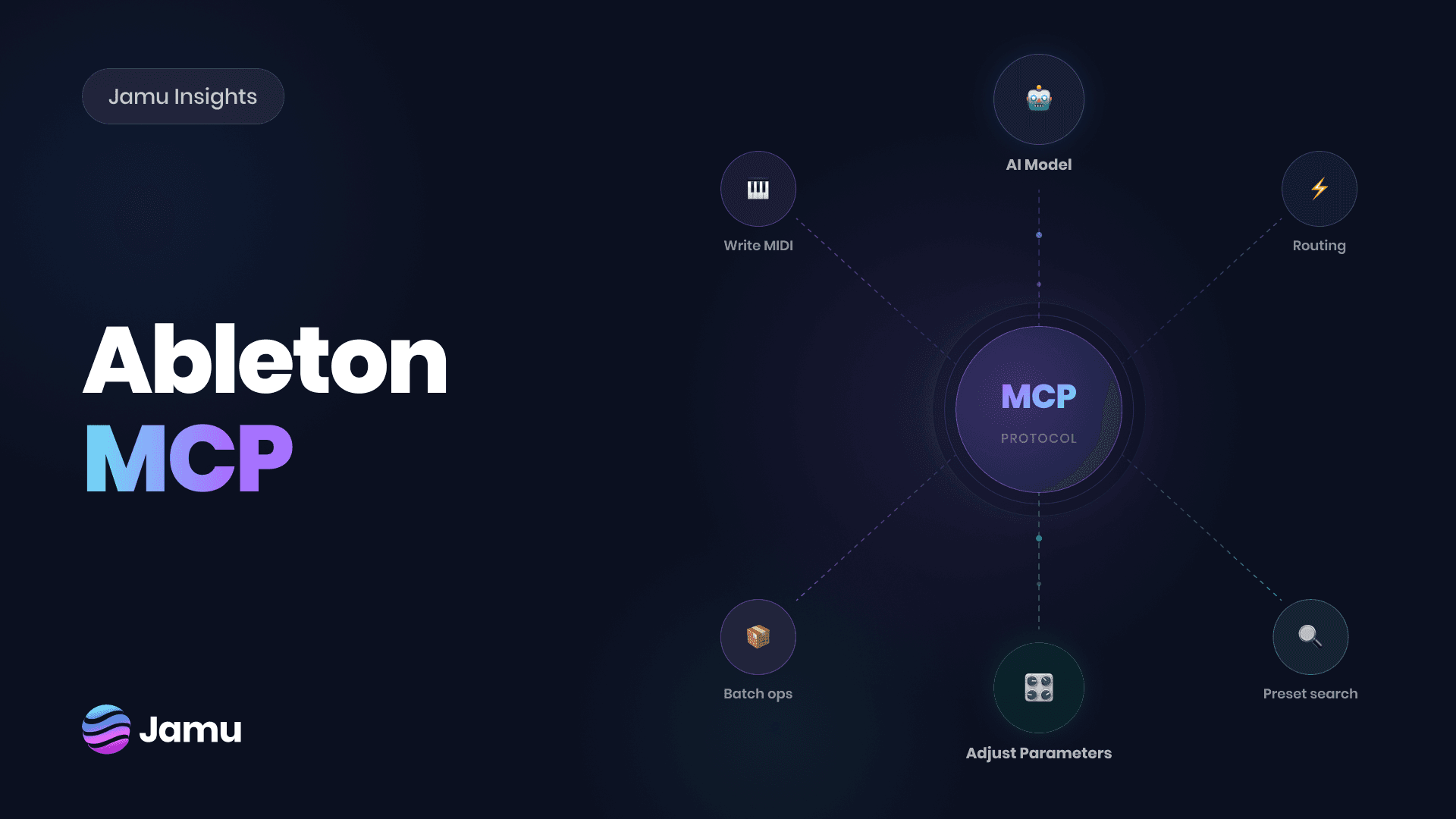
MCP stands for Model Context Protocol. It's a widely accepted AI protocol standard that acts as a bridge between LLMs such as ChatGPT or Claude, letting you connect to various applications like your Google Drive and take actions inside it.
If we apply the same logic to Ableton Live, it enables an AI to connect, read, and control your Ableton Live session. From then on, many possibilities open up. Ask AI to analyze your session, find samples or effects, or even generate some MIDI chords.
MCP is not generative AI
AI is widely misinterpreted and misunderstood, especially in the creative space. While there are tools that generate full-fledged songs from a single prompt, that's not always the case. MCP does not write songs for you. Actually, it doesn't do anything for you unless you specifically ask it to.
An MCP connection is just an alternative interface. In our case, it's another way to operate Ableton. Instead of using a mouse and keyboard, you can interact directly with Ableton with written or spoken language.
The distinction is very important, as it opens more use-cases and possibilities.
Accessibility. A natural language interface makes Ableton Live much more accessible by eliminating dependancy on mouse and keyboard for interactions.
Learning. Beginners can use AI as an alternative for answering questions. Ask what a device does, or how to find the effect you want, and not only does AI give you an answer, but it can also find the thing you're looking for automatically.
Guidance. Even the most advanced producers get stuck at times. Ask AI to help you mix balance, cleanup the session, or just ping-pong ideas if you're stuck.
Install Ableton MCP in 5 minutes
Once you've downloaded the Jamu for Live application for your operating system, go through the installation process like for any other application.
Upon opening Jamu, you will be met with a setup wizard on first launch. It will walk you through connecting Jamu to Ableton successfully.
Requirements
Requirement | Detail |
|---|---|
Operating System | Windows 10 or later, 64 bit. macOS 11 or later with Apple Silicon |
DAW | Ableton Live 12 license. (Max for Live add-on highly recommended) |
Account | Free Jamu account |
Subscription | Free with paid plans available |
Free tokens come with every Jamu account to try out and experiment freely.
Download Jamu for Live
Installation Process
Once you've downloaded the Jamu for Live application for your operating system - go through the installation process like for any other application.
Upon opening Jamu you will be met with a setup wizard on first launch. It will walk you through connecting Jamu to Ableton successfully.
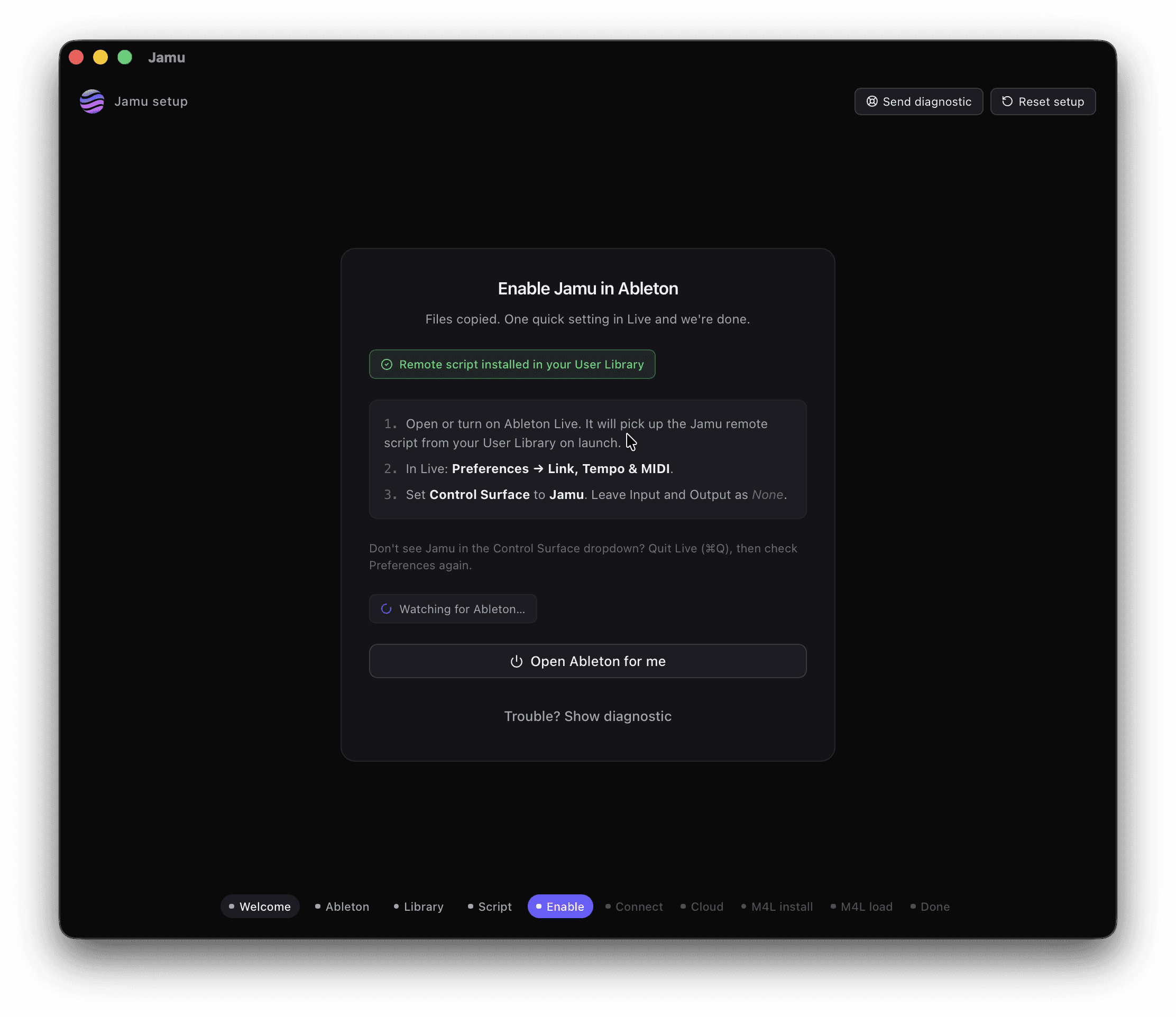
Enable Jamu Control Surface
This step connects Jamu to Ableton Live directly. Hence, Jamu for Live. Very creative, we know.
Open Ableton Live. If it was already running beforehand, restart it. Jamu inputs the remote script automatically to your User Library on launch.
In Live, go to Preferences, then Link, Tempo & MIDI.
Select control surface as Jamu.
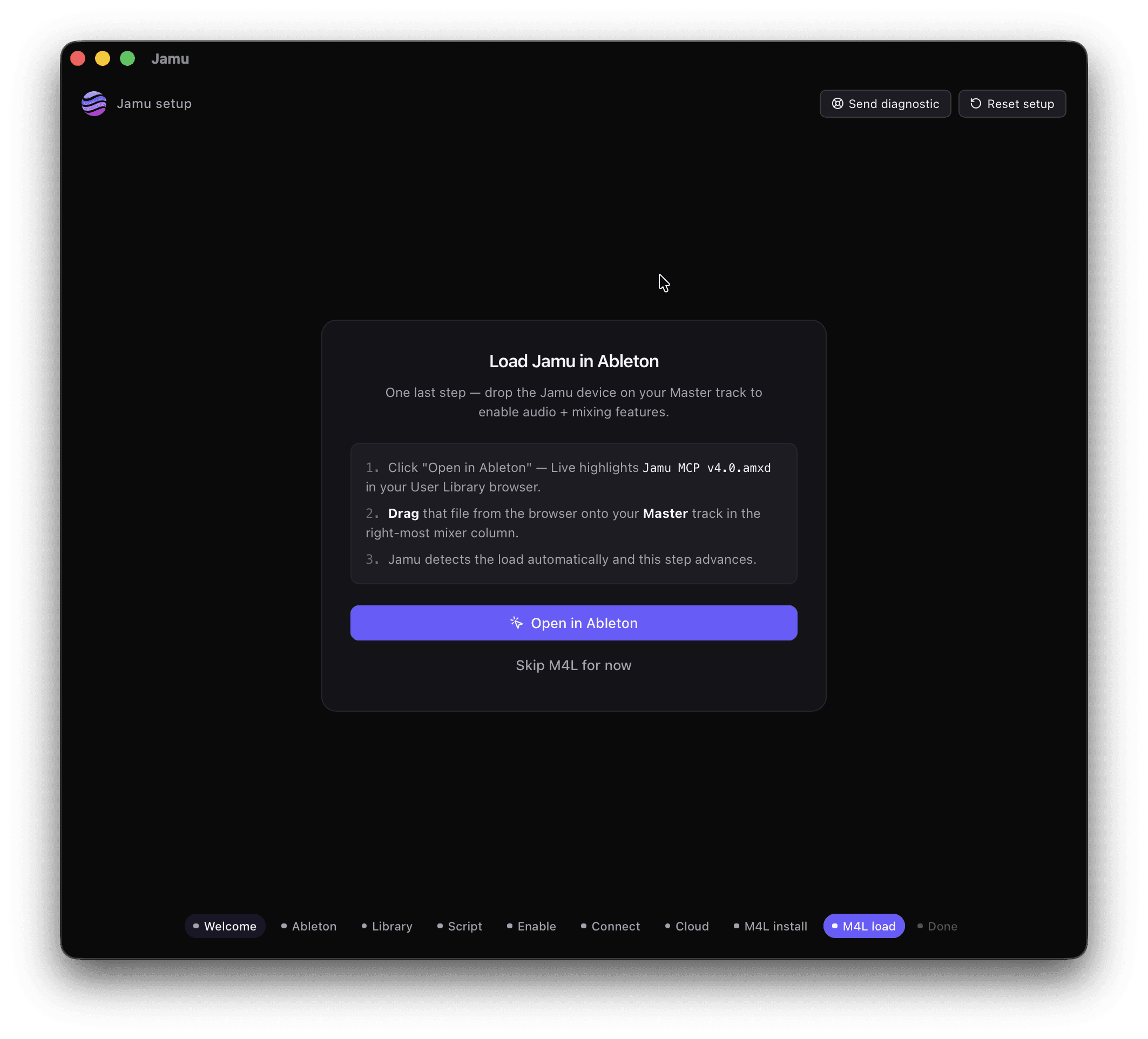
Add the Jamu M4L Device
It is highly recommended you use Jamu with the Jamu M4L device. It is only optional for those who don't have the M4L add-on.
In Ableton Live find Jamu MCP in your User Library browser.
Drag that file onto your Master track. Other tracks will not work!
Jamu detects the M4L device automatically.
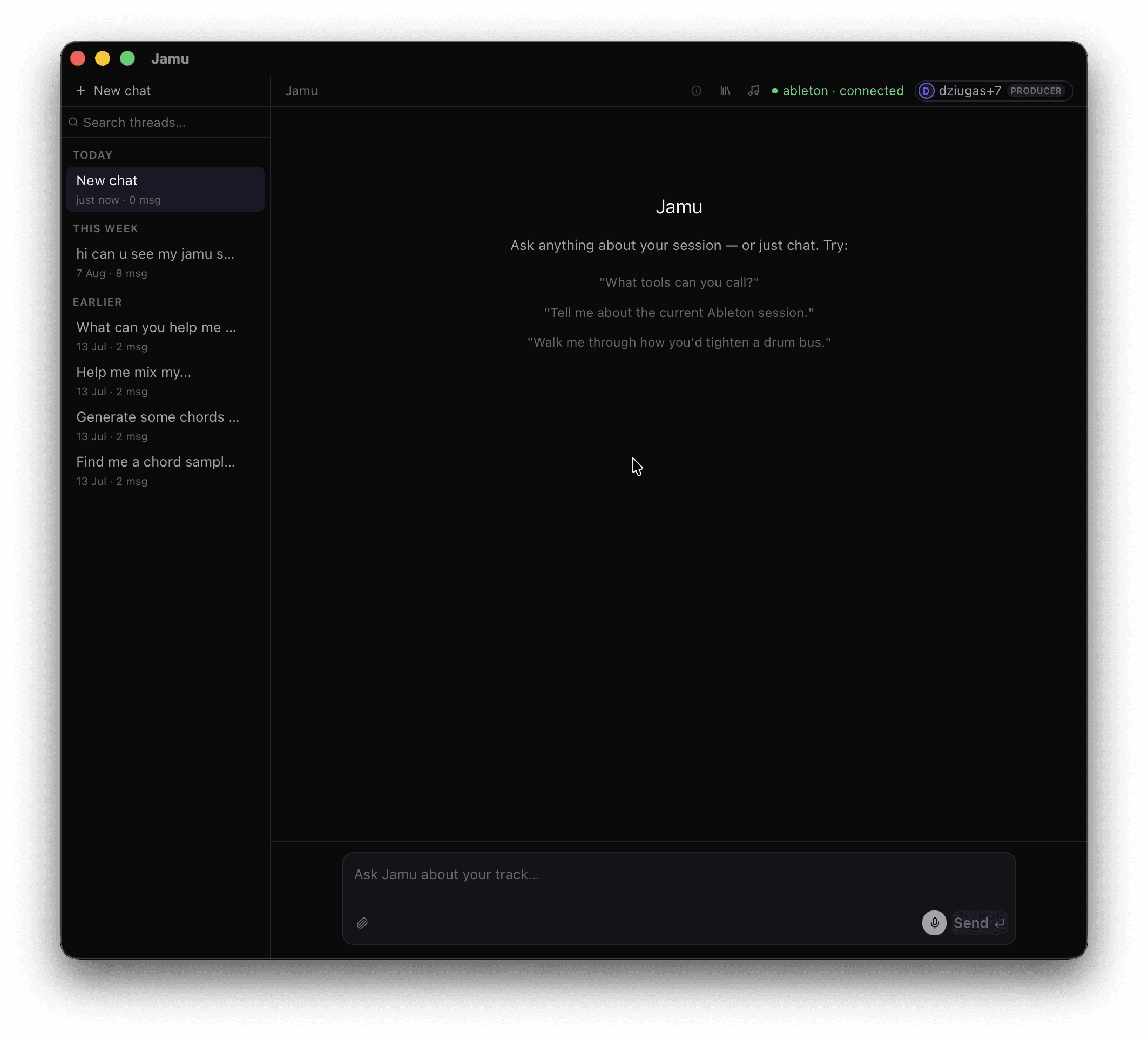
Jamu Interface
Once you're inside Jamu for Live, the user experience is straightforward. If you've used Claude or ChatGPT, you'll feel right at home; there's nothing new to learn. You can find the chat history on the left, and the main chat and prompt box in the middle. Settings top right.
Your First Prompt
Start with something simple to verify Jamu for Live is working as intended.
"Create 4 tracks: Kick, Bass, Lead, Pad.
Once you've confirmed Jamu is working as intended, prompt away! If you don't know where to get started, simply ask Jamu.
"What can you do in my session?
"Where should I get started?"
"Can you help me with X?"
Frequently Asked Questions
Is Ableton MCP generative AI?
No. MCP is a standard that connects software to AI models such as Claude or ChatGPT. For Ableton specifically, it allows AI to read your Ableton session and execute your commands inside.
Do I need developer experience to use Ableton MCP?
Open-source MCP packages can get confusing if you haven't had any coding experience. If that's you, we recommend using Jamu which is a regular application.
Can Ableton MCP change my session without my permission?
No. Every MCP step requires your permission along the way. Better yet, every change is easily editable and reversible with an undo button inside Ableton.
Is Jamu Free?
Free plans with every signup. Paid plans start at $9 per month.