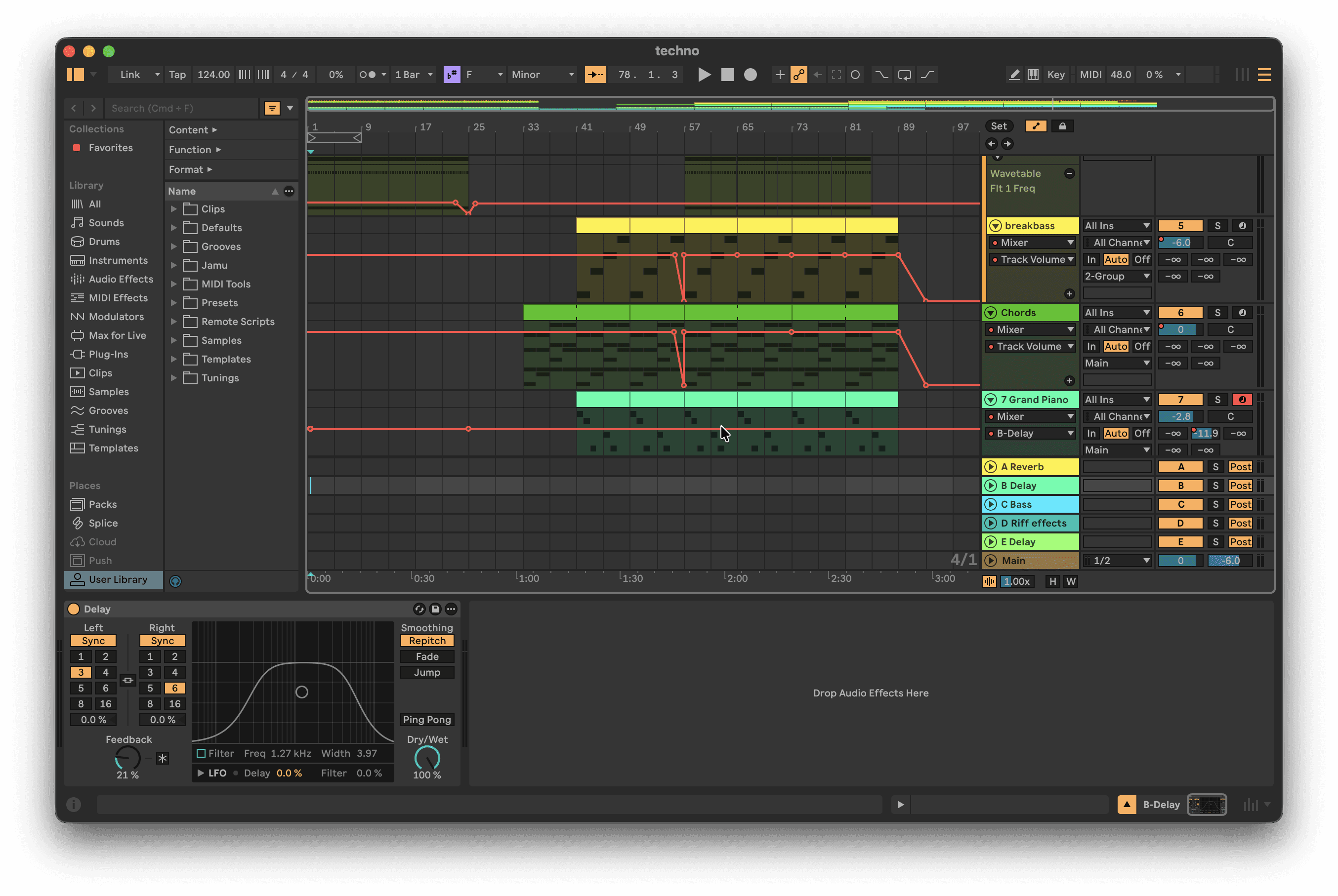
How Jamu Works – Control Ableton Live Through Natural Language
Jamu Logo
Jamu Logo

Create Music Through Intent

Work through natural language while Jamu translates intent into real actions inside Ableton Live.

Download For Windows

Requires Windows 10/11 (64-bit)

Download For Mac

Requires MacOS +11 with Apple Silicon

  • Pickup & Jam

    Works on Mac and Windows

    AI-Powered

    Compatible with Ableton

    Natural Language Interface

    Context-aware

    Easy to Learn

    Co-producer

    Easter Egg

A studio where intent becomes action

Jamu lets you work through natural language while creative decisions stay with you and execution happens underneath.

Jamu · Sample Search

"Find a tight punchy 909 kick and load it to Track 1. Find a crispy open hi-hat for Track 3."

J

Jamu

909 Kick Tight.wav → Track 1

Open HiHat Crisp.wav → Track 3

2 samples loaded from 14,000+ library.

Sample Search

Describe the sound.

Skip the browse.

Search Ableton's full library of 14,000+ built-in sounds plus your own folders by name, mood, or tag. No preview clicking.

Jamu · Sample Search

"Load a warm detuned pad from Wavetable. Slow attack, medium filter cutoff, chorus movement."

J

Jamu

Searching 1,583 presets

Loaded: Velvet Dusk attack.

Set attack to 480ms, chorus on.

Preset Search

1,583 presets.

Describe, don't scroll.

Drift, Analog, Wavetable, Operator, Meld, plus every Ableton audio effect. Find and load the right sound from a description, not a list.

Jamu · Sample Search

"Something moody and jazzy. 4 bars, half notes, smooth between the changes."

J

Jamu

Writing MIDI clip.

Applying voice inversions.

4-bar progression written to clip.

MIDI GENERATION

Hear the harmony.

Skip the piano roll.

Describe chord progressions, melodies, basslines, or arpeggios in plain language. Jamu writes theory-correct MIDI directly to your clip.

Jamu · Sample Search

"The vocal sounds muddy in the mids. Add some compression - glue it together, nothing heavy."

J

Jamu

EQ Eight loaded - HP 80Hz / Cut 2.5dB…

Glue Compressor loaded - Ratio 2:1…

EQ and Compression loaded.

EQ & COMPRESSION

Describe the problem.

Jamu sets the parameters.

Muddy low mids, too much presence, sidechain routing. Describe the sound, Jamu picks the device and loads it.

Point and type control

Act directly on the selected track, clip, or device. Jamu understands context.

Reusable recipes

Save useful ways of working and reuse them across projects to stay consistent.

Bring your hardware online

Connect and control hardware synths with Jamu. Keep physical gear in your studio flow.

MIDI editing and arrangement

Add and modify notes with full control of pitch, timing, duration, and velocity.


Creative starting points

Use suggested actions to explore ideas or move forward when you’re stuck.

Transparent creative actions

Every action is listed. Inspect what changed, undo instantly, or refine the last step.

Frequently Asked Questions

Frequently Asked Questions

Can't find your question? Contact us at contact@jamu.ai or join our Discord.

Can't find your question? Contact us at contact@jamu.ai or join our Discord.

Is Jamu free to use?

Do I need Ableton Live?

What are tokens and how are they used?

Jamu isn't working. What should I do?

How do I manage my subscription?

Keep up to date with Jamu

Join our newsletter and gain exclusive perks

Jamu Logo

Keep up to date with Jamu

Join our newsletter and gain exclusive perks

Keep up to date with Jamu

Join our newsletter and gain exclusive perks