
Account verified
You're in.
Let's get you set up.
Your account is verified. Open the Jamu app and log
in with your credentials to get started.
Setup guide
Five steps to your first session
1
Launch Jamu
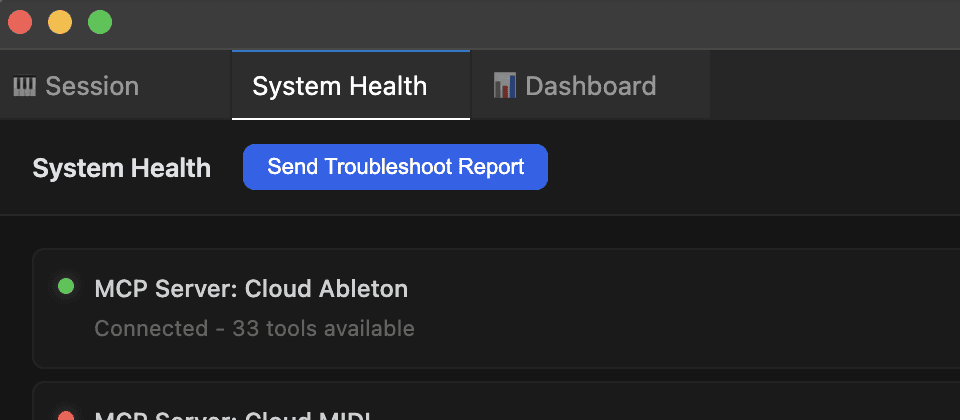
Open the Jamu app. It will automatically install the necessary files into your Ableton User Library.
2
Launch Ableton Live
Restart Ableton Live so it picks up the newly installed files.
3
Add Jamu as a Control Surface
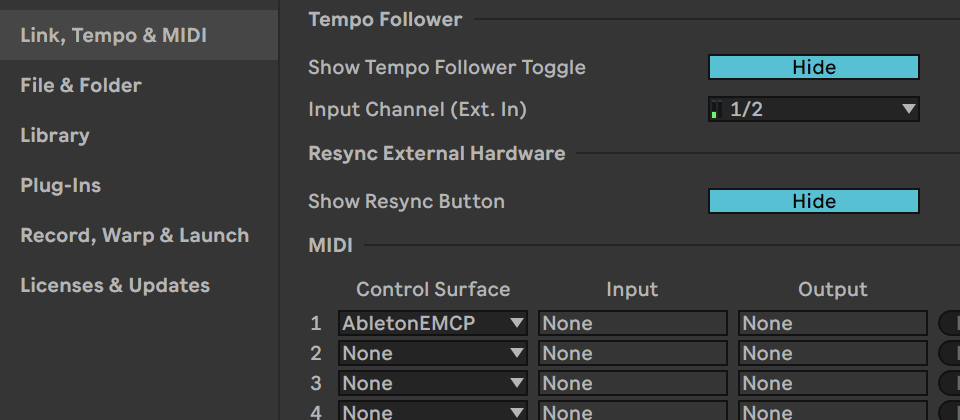
In Ableton, go to Ableton → Settings → Link, Tempo & MIDI → Control Surfaces and select AbletonEMCP from the list.
4
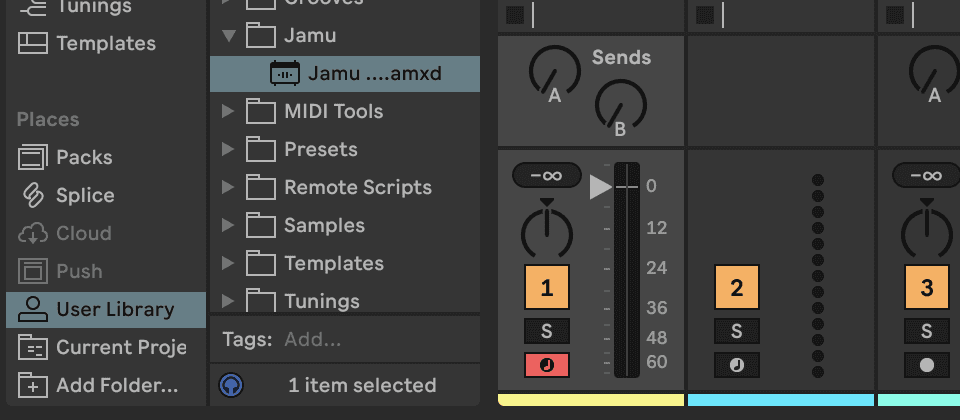
Load the Jamu Max for Live device
Disclaimer: Only for Suite and Max for Live users. For full Jamu capabilities load the Jamu M4L device. Open User Library → Jamu and drag the Jamu M4L device onto any track.
✓
You're done.
Jamu is ready for your prompts! Open Jamu and get started.
What Jamu can do
A few things to try first
Type what you want. Jamu handles the execution.
🎛️
Preset Search
Find synth and instrument presets by description. Analog, Wavetable, Drift — all searchable by sound.
🎹
MIDI Generation
Describe chord progressions, melodies, or basslines. Jamu writes theory-correct MIDI straight to your clip.
🎚️
EQ & Compression
Muddy low mids, too much presence, sidechain routing. Describe the sound, Jamu picks the device and loads it.
Questions
Common questions
I can't find AbletonEMCP under Control Surfaces
I've restarted Ableton Live and still can't see AbletonEMCP under Control Surfaces
I'm still experiencing difficulties with Jamu
Questions? Reach us at contact@jamu.ai
© 2026 Jamu. Available now for Ableton Live.